The process
What happens next
Create your account
Sign up with email or Google so your assessment answers and report can be saved securely to your dashboard.
Complete the guided assessment
Answer structured questions about your fertility history, tests, treatments, partner context, and what you want help understanding.
Use Fertilia when you need help
If a term or question is confusing, Fertilia can answer general fertility questions in plain language while you work through the assessment.
Generate the report
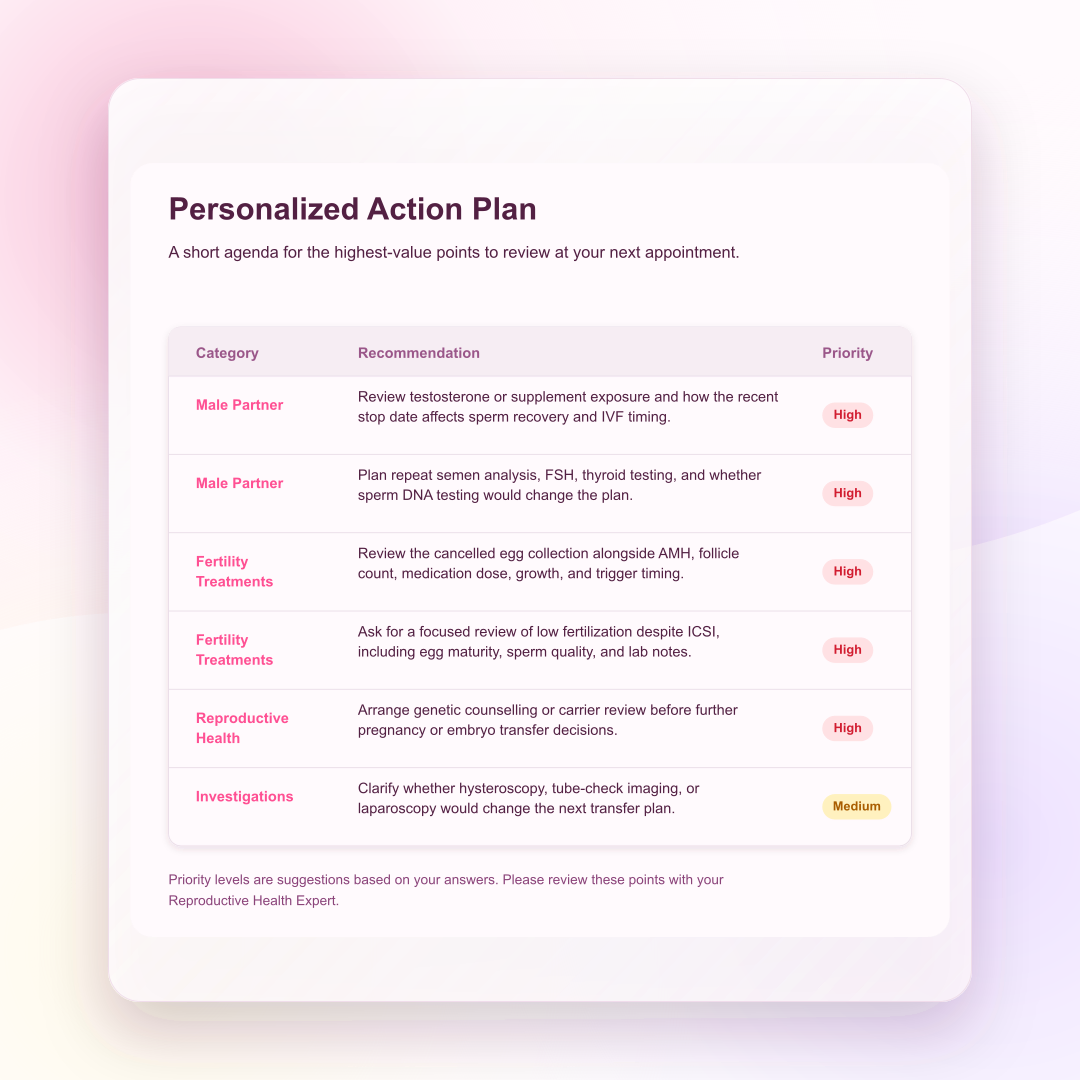
The report is generated from your completed assessment and organized into sections for patient understanding and appointment preparation.
Review the main sections
Read the personalized summary, action plan, discussion topics, and answers snapshot to see which answers shaped the report.
Ask follow-up questions
Use Fertilia for general explanation of fertility terms or report topics. Medical decisions still belong with your clinician.
Download Your Report
Download the PDF from your dashboard so you can save it, reread it, or bring it to a specialist appointment.
Delete Your Account
When you no longer need the service, you can delete your account and associated report data from the dashboard.
Two practical things to know
You can keep a PDF copy for your own records, and you stay in control of whether your account and report data remain in the service.
Downloading Your Report
- 1Sign in to your account
- 2Open your dashboard
- 3Open the completed report
- 4Use the "Download PDF" option
- 5Save the file somewhere private and easy to find before an appointment
Your PDF remains available while your account is active. Download a copy before deleting your account if you want to keep it.
Deleting Your Account
- 1Sign in to your account
- 2Open your dashboard
- 3Choose the delete account option
- 4Read the warning so you understand what will be removed
- 5Confirm the deletion when you are sure
Deletion is intended to remove your account, assessment answers, and generated report data from the service. Download anything you want to keep first.
Process questions
Common Questions
After the assessment is complete and report generation starts, the report is usually ready within a few minutes.
If it takes longer, you can return to your dashboard later rather than waiting on the page.
Yes. We use modern encryption to protect your data and we do not share your personal information with third parties.
We also avoid storing directly identifying details such as full names, addresses, phone numbers, or birthdates.
We avoid collecting directly identifying information such as your full name, address, phone number, or birthdate.
Your email address is used for authentication, and payment details are handled by our payment provider rather than stored alongside your fertility data.
MyFertility Report is operated by Smart Reports LLC and data is stored primarily in the United States using trusted service providers.
If you use the service from another country, your information may be processed in the United States. The Privacy Policy explains this in more detail.
For paid users, payment happens before report generation. For referral trial users, the dashboard may allow report generation without payment.
If you decide not to continue, you can delete your account and associated data from the dashboard.
You can adjust answers while you are completing the assessment.
Once a report has been generated, that report reflects the answers available at the time it was created.
No. MyFertility Report is educational and designed to support preparation for specialist conversations.
It does not diagnose infertility causes, choose treatment, replace medical advice, or review your full medical record.